























































Download He Is Dead, Jim Font


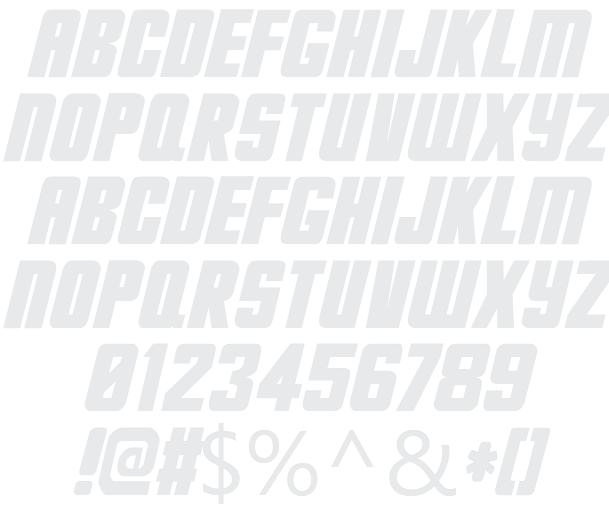
He Is Dead, Jim Example

Download He Is Dead, Jim - 14,054 downloads

Designed by James Shields
Science-Fiction All Caps Fast Bold Slanted He Is Dead, Jim Example He Is Dead, Jim Character Map

Create a Logo Using He Is Dead, Jim

3D Outline Textured Logo Style
Dragon Logo Style
Dark Logo Style
Frosty Logo Style
Particle Logo Style
Studio 54 Logo Style
Legal Logo Style
Bad Acid Logo Style
Easy Logo Style
Glowing Hot Logo Style
Cupid Logo Style
OZONE Logo Style
Gold Bar Logo Style
DEEJAY Logo Style
Burning Logo Style
Saint Patrick Logo Style
Plastic Logo Style
Felt Logo Style
Gelatin Logo Style
Glowing Steel Logo Style
Gunmetal Logo Style
Liquid Gold Logo Style
Halloween Logo Style
Princess Logo Style
Iced Logo Style
Tie Dyed Logo Style
Gold Outline Logo Style
Plain Logo Style
Supernova Logo Style
Tesla Logo Style
Fun Logo Style
Starburst Logo Style
Neron Logo Style
Chick Flick Logo Style
Skate Logo Style
Simple Logo Style
Happy Joy Logo Style
3D Outline Gradient Logo Style
Lava Logo Style
Chrome One Logo Style
GOLD BEVEL Logo Style
Romance Logo Style
Embossed Logo Style
Graffiti Creator Logo Style
Gradient Bevel Logo Style
Hot Pink Logo Style
Stranger Logo Style
Scavenge Logo Style
Invaders Logo Style
Royal Logo Style
Epic Stone Logo Style
Comic Logo Style
Groovy Logo Style
Fantasy Logo Style
TROY Logo Style
Sword Logo Style
Candy Stripe Logo Style
Glossy Logo Style
Caster Logo Style
Pixel Badge Logo Style
Fire Logo Style
House Arryn Logo Style
Lasers Logo Style
Muddy Logo Style

He Is Dead, Jim Example

He Is Dead, Jim Example

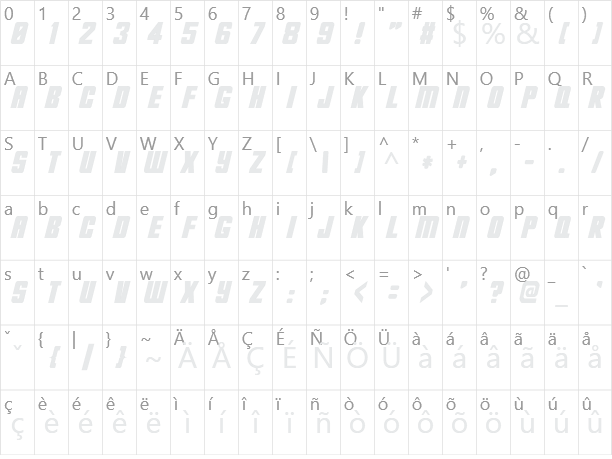
He Is Dead, Jim Character Map

He Is Dead, Jim Character Map

Added on Wednesday, October 23, 2002
14,054 downloads
Designed by James Shields

Similar Fonts

Han Solo Font Gunship Font Distant Galaxy Font BatmanForeverAlternate Font Venus Rising Font

Font Installation Instructions


You may need to extract the .ttf files from a .zip archive file before installing the font.

Windows (XP/Vista/7/8/10)

Right-click on the .ttf file and select install.

MacOS X (10.3 or later)

Double-click on the .ttf file and select install.


Generator Categories

Most Popular Animated (7) Black (13) Blue (17) Brown (8) Burning (6) Casual (5) Chrome (11) Classic (5) Distressed (22) Elegant (11) Fire (6) Fun (10) Girly (7) Glossy (16) Glowing (20) Gold (19) Gradient (6) Gray (8) Green (12) Heavy (19) Holiday (6) Ice (6) Medieval (12) Metal (8) Neon (5) Orange (10) Outline (31) Pink (14) Purple (15) Red (25) Retro (7) Rounded (22) Science-Fiction (9) Script (5) Shadow (10) Sharp (6) Shiny (9) Space (8) Sparkle (7) Stencil (6) Stone (7) Trippy (5) Valentines (6) White (7) Yellow (15)